
Your flights, captured automatically
The Logbook in the Flight Deck ecosystem is designed to quietly keep track of everything you do in X-Plane, without asking you to fill in forms or remember to press “start/stop” buttons. You just fly — it does the admin.
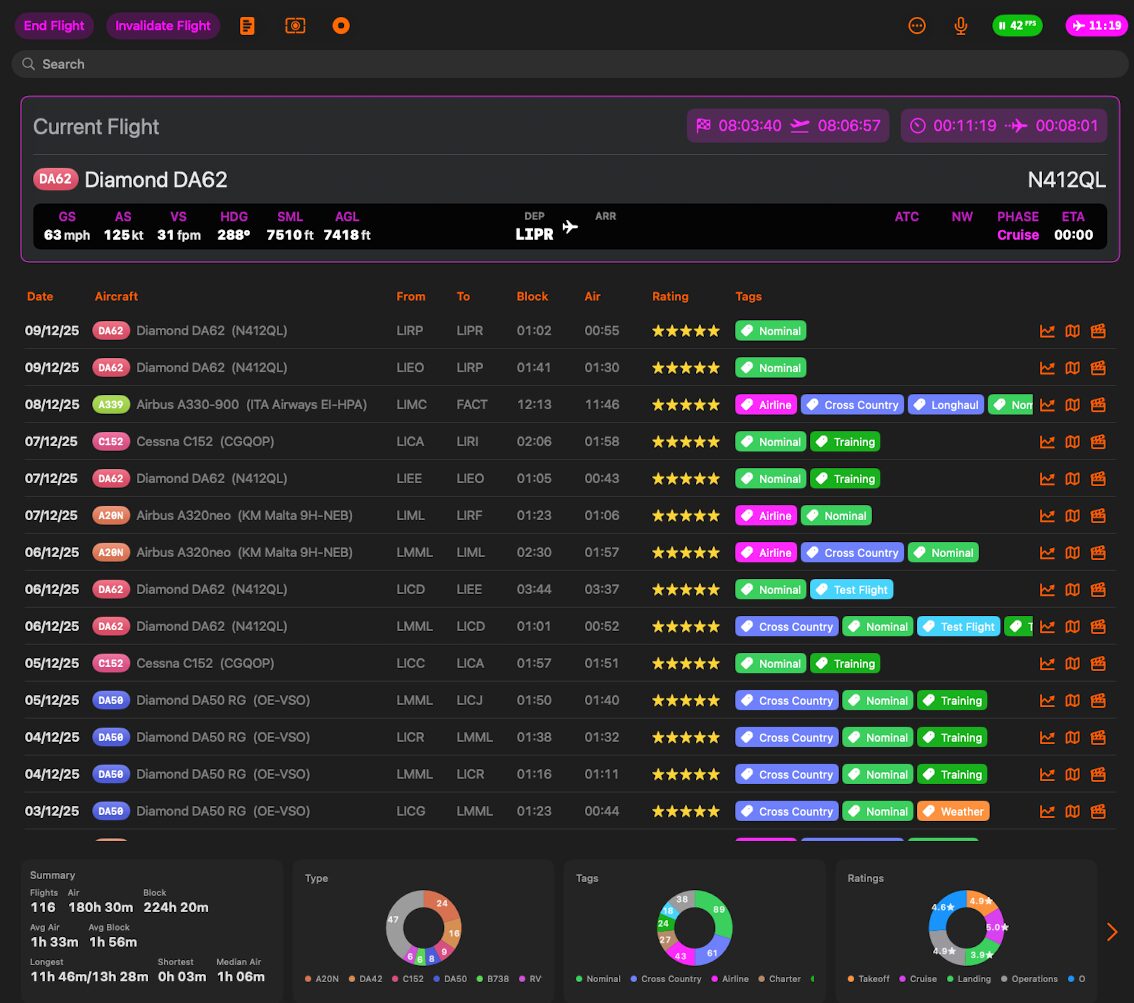
Automatic flight detection
Logbook runs in the background and understands when a real flight starts and when it ends.
A flight is considered started when you go start your engines and start moving.
A flight is considered ended when you are parked with engines shutdown.
From that moment, the whole flight is stored as a single entry in your Logbook: no manual input, no checklists to tick.
Learn more here.
Flight Info
Every time Flight Deck ONE detects a complete flight, it creates a Flight entry in the Logbook. Each row in the list is one flight, with date, aircraft, route, times, rating and quick links to replay, telemetry and details.
Aircraft link and maintenance
Each flight is always tied to an aircraft:
- If the aircraft is in My Hangar, the flight will update its state automatically:
- Total time and cycles
- Aircraft “age”
- Maintenance / health percentage
- If you later add that aircraft to the hangar, past flights using the same registration can be matched to it, rebuilding its history.
This way the Logbook is not just a list of flights, but also the timeline of each airframe you fly.
Tags and remarks
Each flight can have tags and remarks:
- Tags help you classify flights: Training, Cross Country, IFR, Test Flight, Night, etc.
- You can pick existing tags or create new ones on the fly.
- Remarks are free text: you can note procedures, issues, weather, callsigns, or anything you want to remember.
Tags and remarks are shown in the table and used later in the statistics at the bottom of the Logbook.
Flight Rating
At the end of each flight, a Rate Your Flight panel pops up.
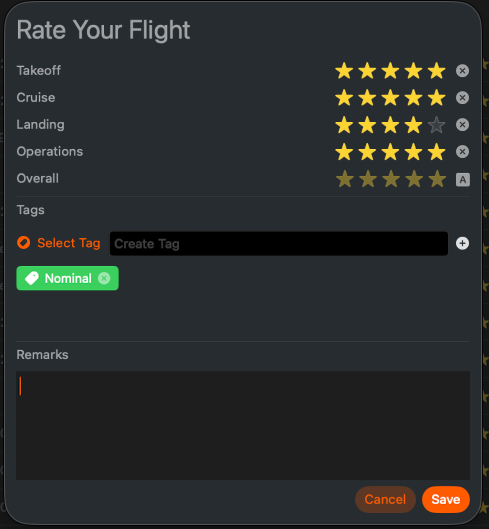
You can assign star ratings to:
- Takeoff
- Cruise
- Landing
- Operations (how well you managed the flight overall)
An overall rating is derived from these, so at a glance you can see how “good” a flight was when scrolling the list.
Based on what happened during the flight, Logbook may add some tags automatically (for example Cross Country, Longhaul, Training or Weather). You can keep them, remove them, or add your own before saving.
You can also add final remarks here – this is the ideal place for debrief notes such as “unstable approach, go-around”, “new SID tested”, or “first flight with new aircraft”.
Once you hit Save, the flight becomes a complete record: route, aircraft, times, stats, replay, telemetry, rating, tags and notes – all in one place.
Blackbox: telemetry of every flight
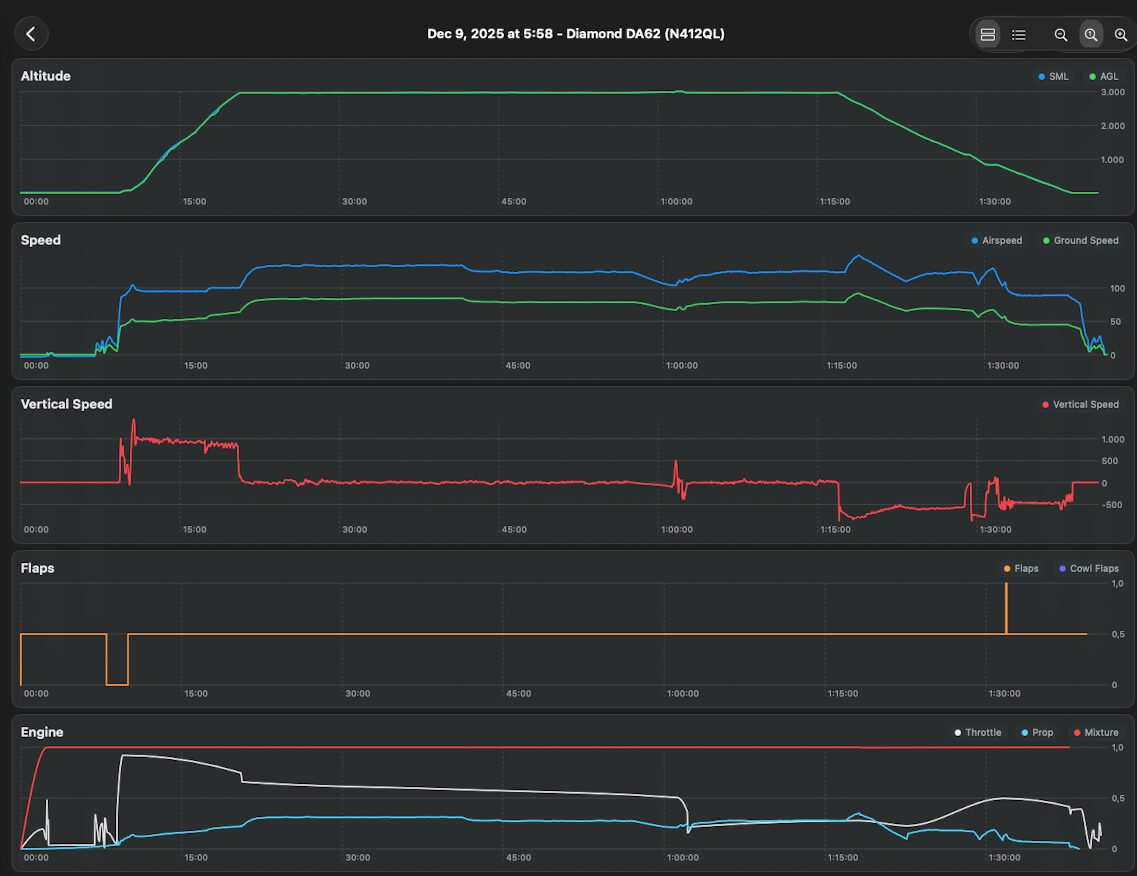
While you fly, Logbook uses the Blackbox feature to record detailed telemetry in the background:
- Position and altitude over time
- Speeds, headings, vertical profile
- Phases of flight and key events
Tap the Telemetry button on the right of the flight to load the complete recording of the flight parameters.
This creates a precise digital trace of what really happened during the flight, useful both for curiosity and for serious debriefing.
Automatic X-Plane replays
For every logged flight, Logbook can save an X-Plane replay file.
That means you can:
- Re-watch take-offs and landings
- Study approaches and patterns
- Capture screenshots or videos later
To load a replay, just tap the button on the right of the flight or load the replay from X-Plane. Each replay I saved with the name of the Aircraft and the timestamp.
You don’t have to remember to save anything at the end of the flight — it’s handled for you.
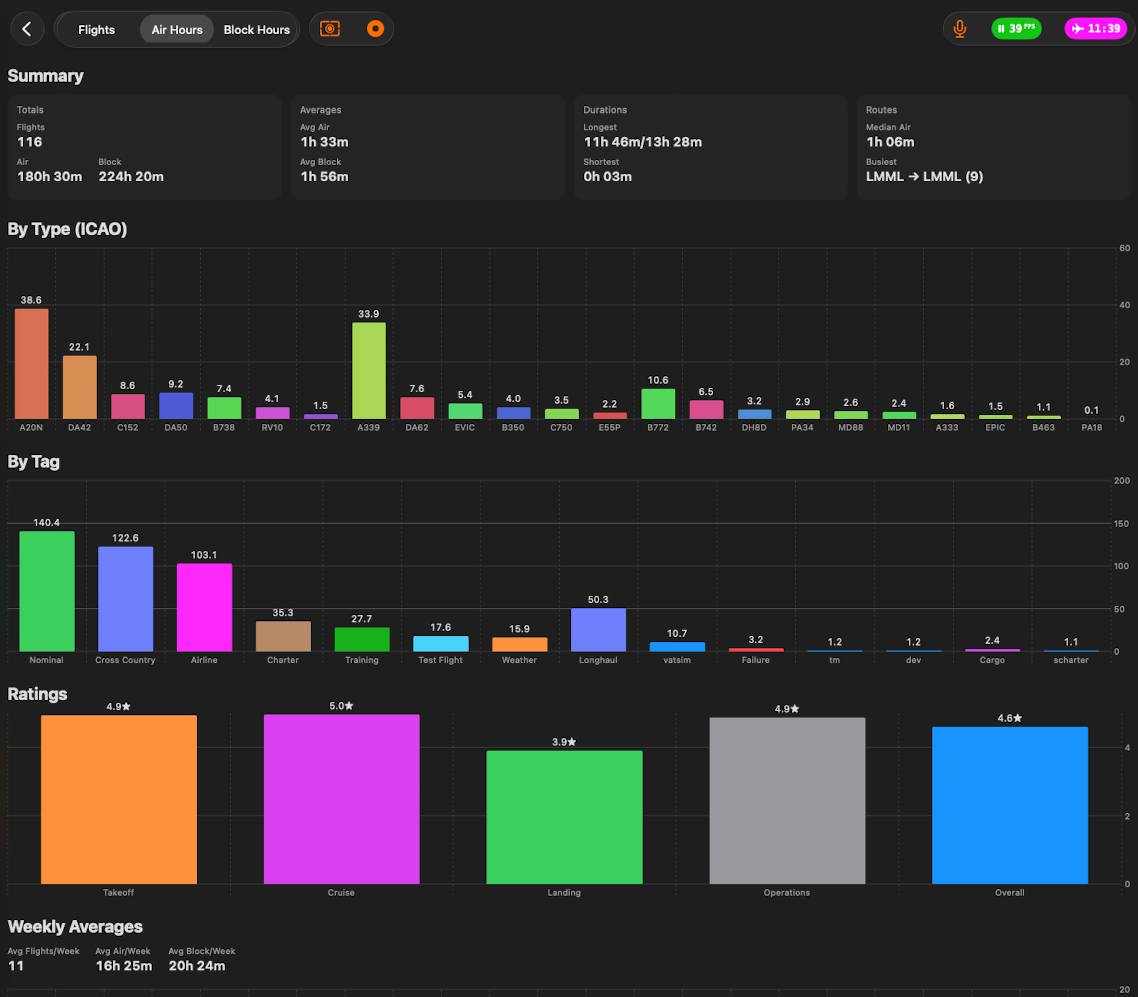
Statistics across your entire history
Over time, your Logbook turns into a real history of your flying:
- Total flight time
- Flights per aircraft, livery, or airline
- Airports you use most
- Typical routes and profiles
Instead of raw lists of flights, you get structured, thoughtful statistics that show how and where you actually fly.
Current Flight panel
While you are in the air, Logbook also offers a Current Flight panel:
- Live view of your ongoing flight
- Progress along the route
- Key parameters and timing at a glance
It’s a compact “flight overview” that ties together what is happening now with what will later be stored in your history.

Logbook is basically your quiet co-pilot for data: it watches, records, and organizes your flights so you can focus on flying — and only later dive into replays, telemetry, and long-term stats when you feel like it.