
The Logbook records your flights. Memories lets you live them again.
Same database, completely different lens. Where the Logbook is the pilot’s record, Memories is the photographer’s album. Your screenshots and videos are the protagonists. The flight data is the caption.
Your flights, on a calendar
Open Memories and your entire flight history appears as a living calendar. Each day with a flight carries a colored dot — one color per aircraft type, so a busy flying week reads at a glance. Tap any day and the flights from that session appear as cards: aircraft, registration, route, star rating, tags, and a thumbnail strip of your screenshots right there in the list.

Switch to the mosaic view and every screenshot you’ve ever taken becomes a browsable gallery, grouped by month, filterable by favorites and star rating. Your simulation history as a visual archive.
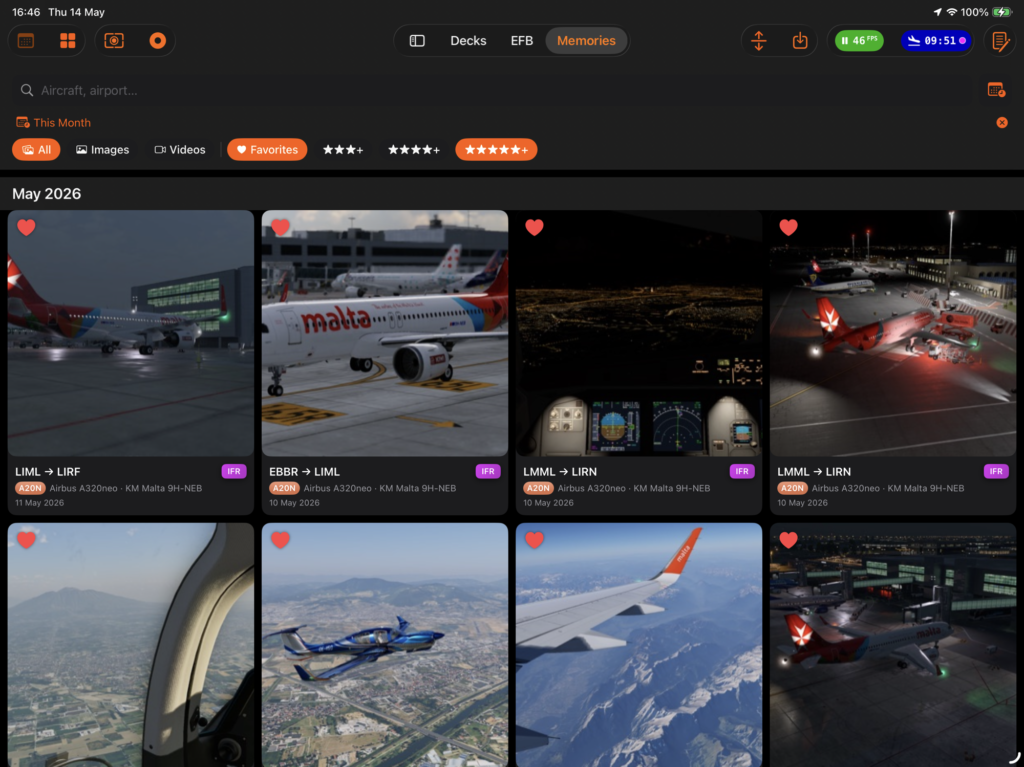
Open a flight, find everything
Tapping a flight opens its full archive. Your media gallery is front and center — full resolution, heart any shot you want to keep close. Below it, your EFB documents and Scratchpad notes from that session. And because Memories shares the same database as the Logbook, every flight carries direct links to its original flight plan, EFB charts, replay, and Black Box telemetry data when available. One place, the complete picture of that flight.
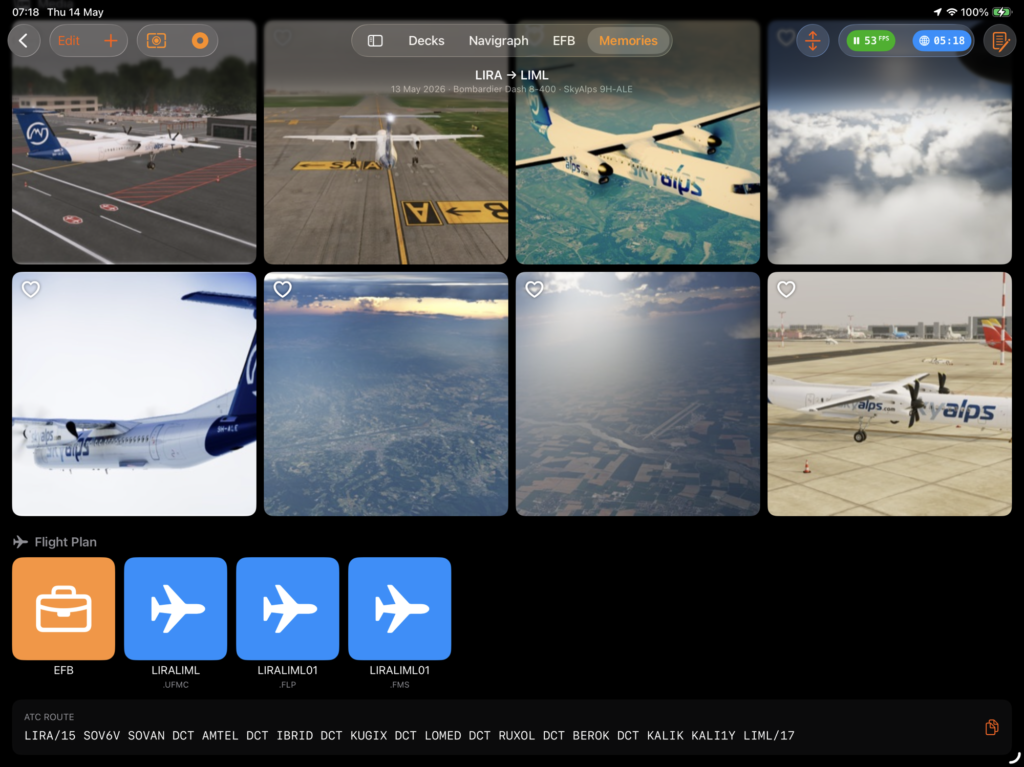
Media Editor
Built-in photo and video editor. Photo adjustments: exposure (brightness, contrast, saturation), colour channels, warmth, Noir (black-and-white), Chrome / Instant / Fade film looks, tilt-shift, sharpness and vignette. Auto-Fix applies a one-tap enhancement and cannot be applied twice to the same image. Crop supports seven aspect ratios: Original, Free, Square, 3:2, 4:3, 16:9 and 21:9. Videos support the same adjustments plus trim.
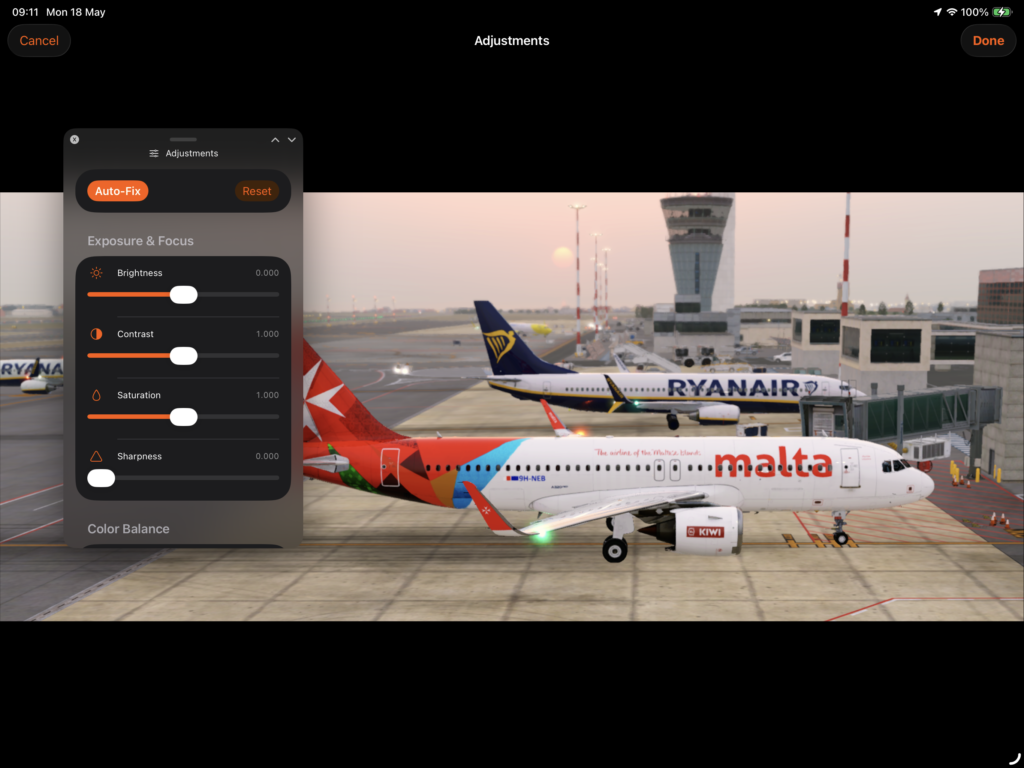
Files that arrive on their own
The magic behind Memories is Sources. Point Flight Deck ONE at the folders on your simulation computer — over your local network or through a cloud drive — and when a flight ends, the app cross-references your screenshots and videos against the flight timestamps and imports them automatically. You fly, you land, you open Memories. The photos are already there.
Sources support your X-Plane Output folder directly over Network sharing, or via cloud sync through iCloud, Google Drive, OneDrive, or Dropbox. You can also add files manually at any time.