
Tag: ONE
-
Delta 6 puts a complete, offline navigation database inside the app and puts it to work: frequency suggestions in every radio keypad, on the scratchpad and in a new EFB section, plus one-tap chart access from your OFP, a scheduled departure time for dispatch, and a Logbook that explains itself when it’s empty.
-
Delta 5 brings a major EFB Charts overhaul with multi-provider support and persistent pinned charts, the brand-new AI Debrief section, quick Black Box access from the flight-end screen, and the usual round of fixes and improvements.
-
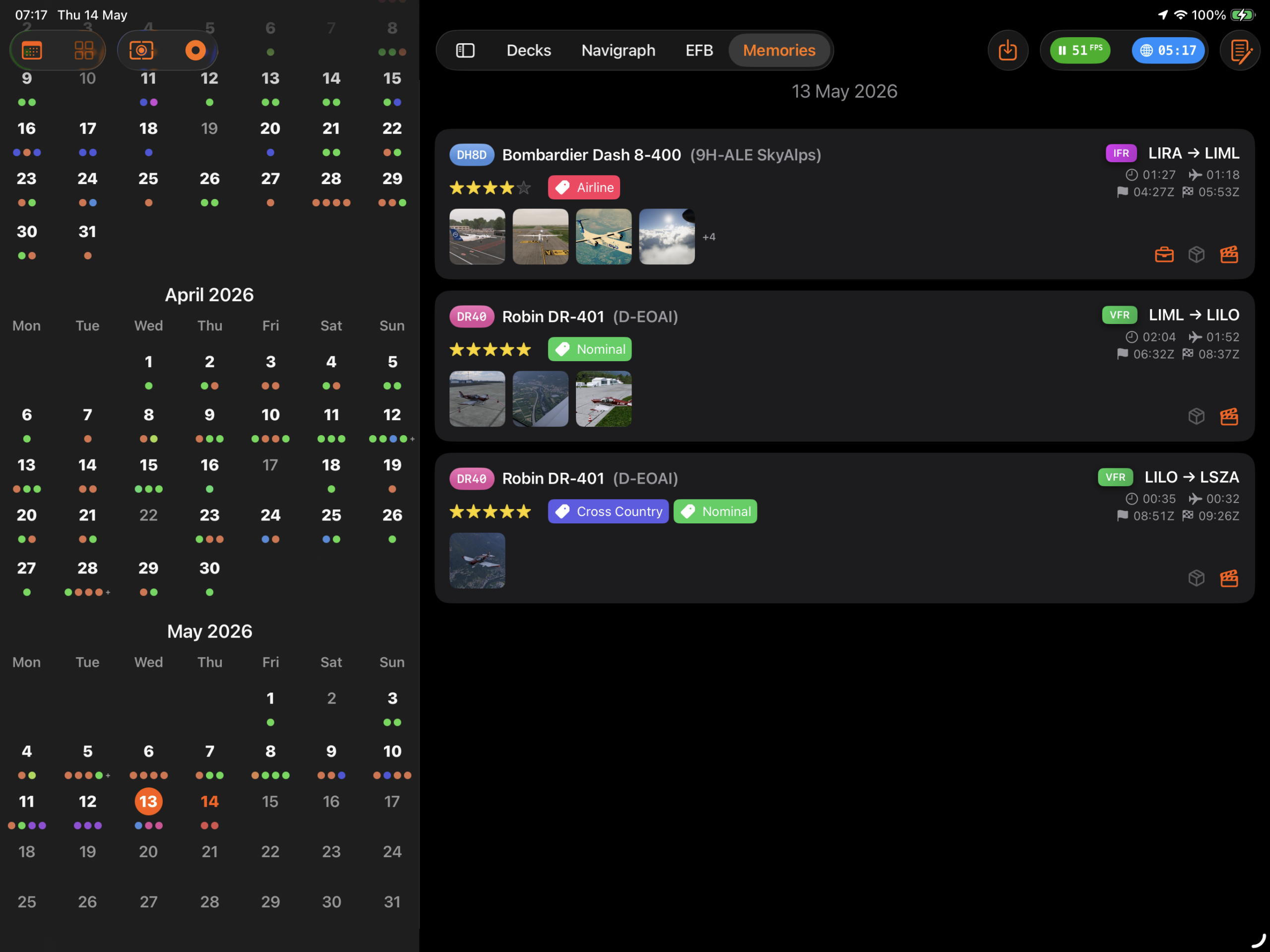
How to configure Sources in Flight Deck ONE so that screenshots, videos, and flight plans flow automatically into Memories when each flight ends.
-
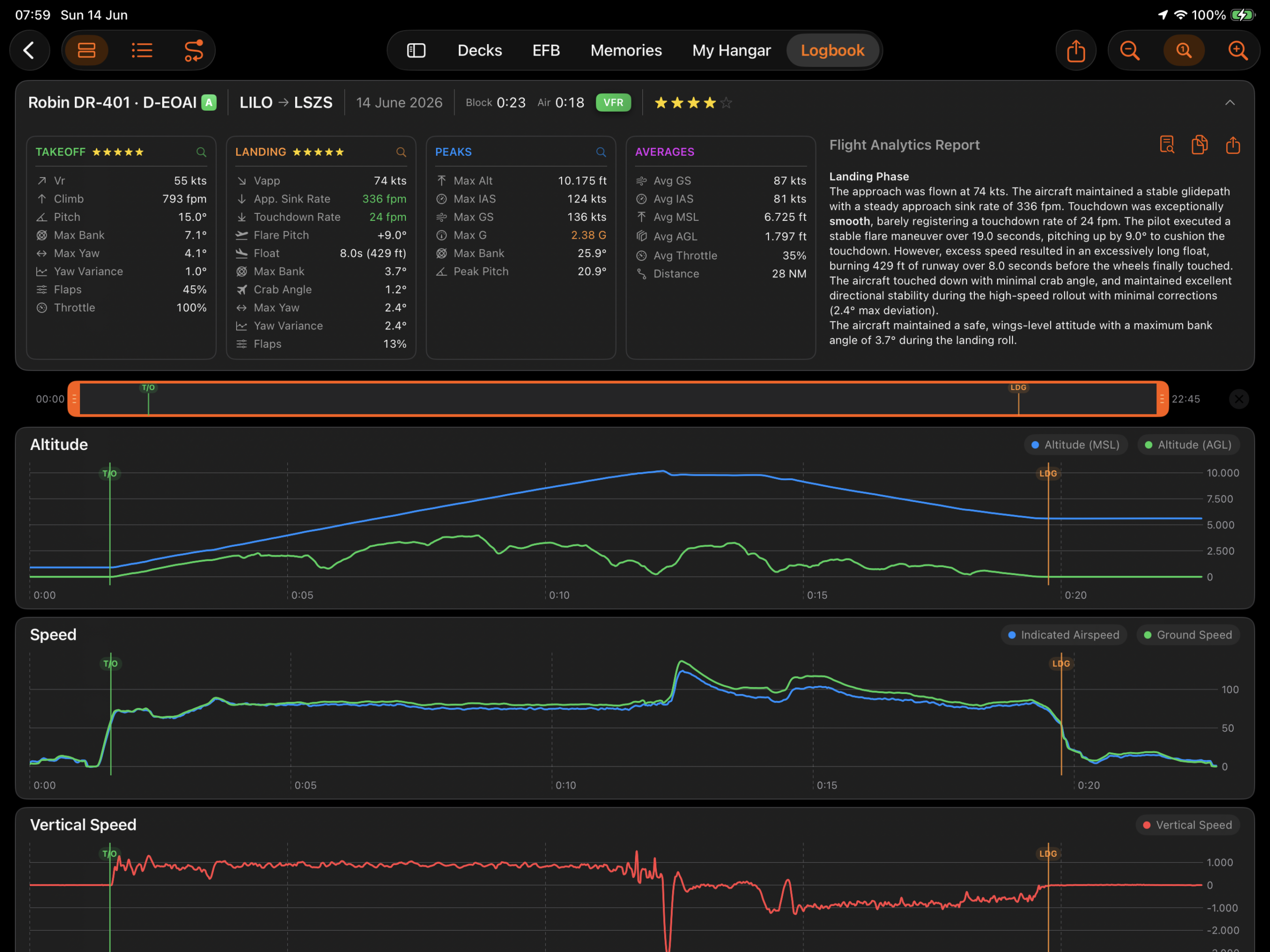
The Black Box records your flight telemetry: altitude, airspeed, vertical rate, attitude, control input, and G-force, captured automatically from the moment a flight begins to the moment it ends, with nothing to configure and nothing to start. That telemetry stays stored with each flight for as long as it is in your Logbook.
-

Delta 4 brings automatic flight analysis to the Black Box, with highlights, G-force recording, attitude tracking per phase, and PDF export. Memories gains geo-coordinates for every capture and automatic X-Plane folder discovery. EFB gets cross-device packet sharing, and the Logbook adds automatic flight rating and one-tap flight sharing.
-
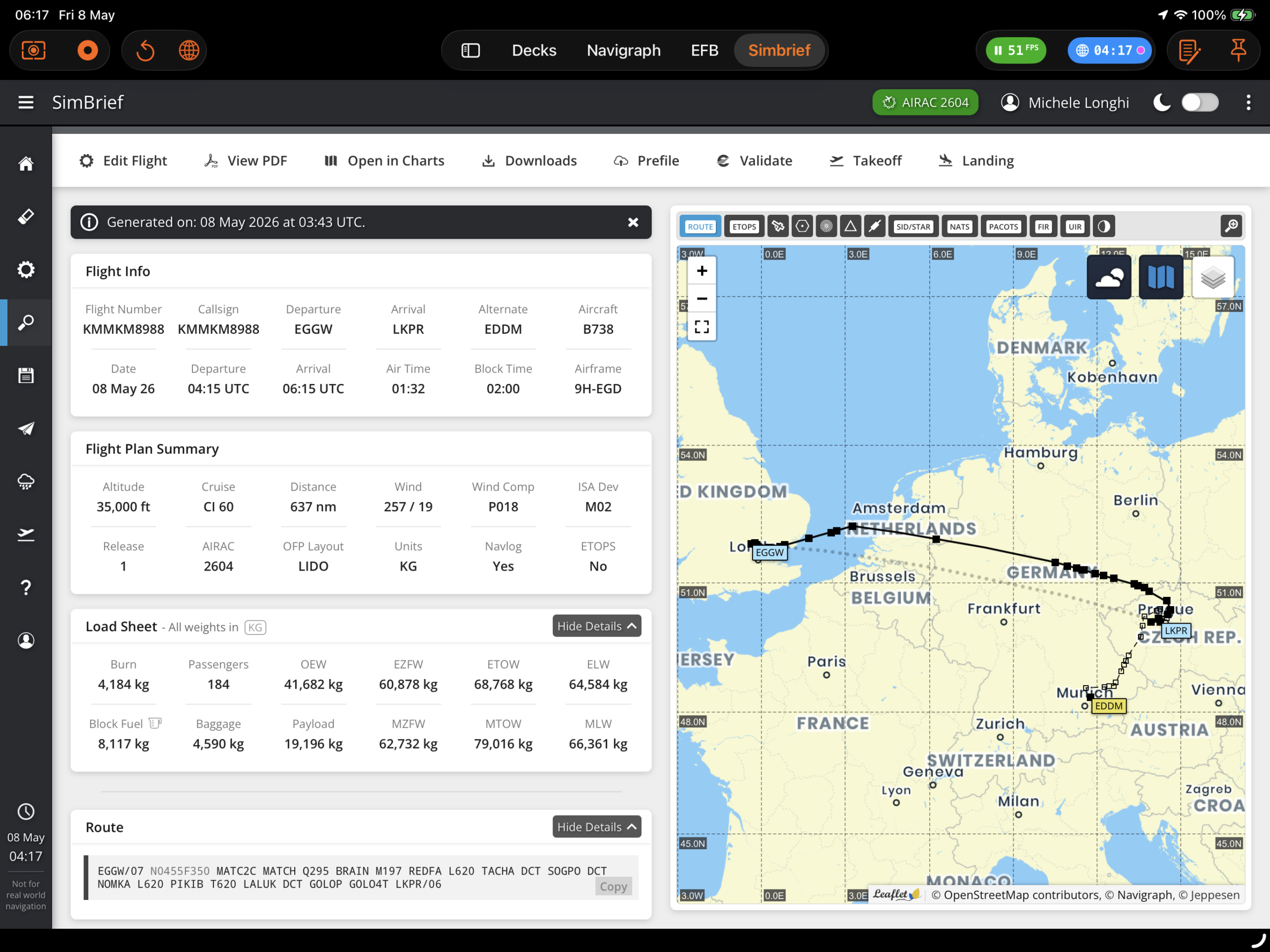
Overview SimBrief integration is a Premium feature that allows pilots to fetch their Operational Flight Plan (OFP) directly inside Flight Deck ONE. Once loaded, the OFP enriches the World Map, Scratchpad, and flight info displays with route, weather, fuel, and timing data. Setup 1. Enter your SimBrief Pilot ID Navigate to Settings > Integrations and…
-
Delta 3 deepens the EFB with live route position tracking, per-leg timing, and seamless access from the Logbook and My Hangar. The Logbook gains automatic night hours, ICAO class tracking, and aircraft categorisation. Memories integrates with Apple Photos and gets a built-in cleanup tool. The ToLiss A330 deck gains overhead panel variants, and a critical…
-
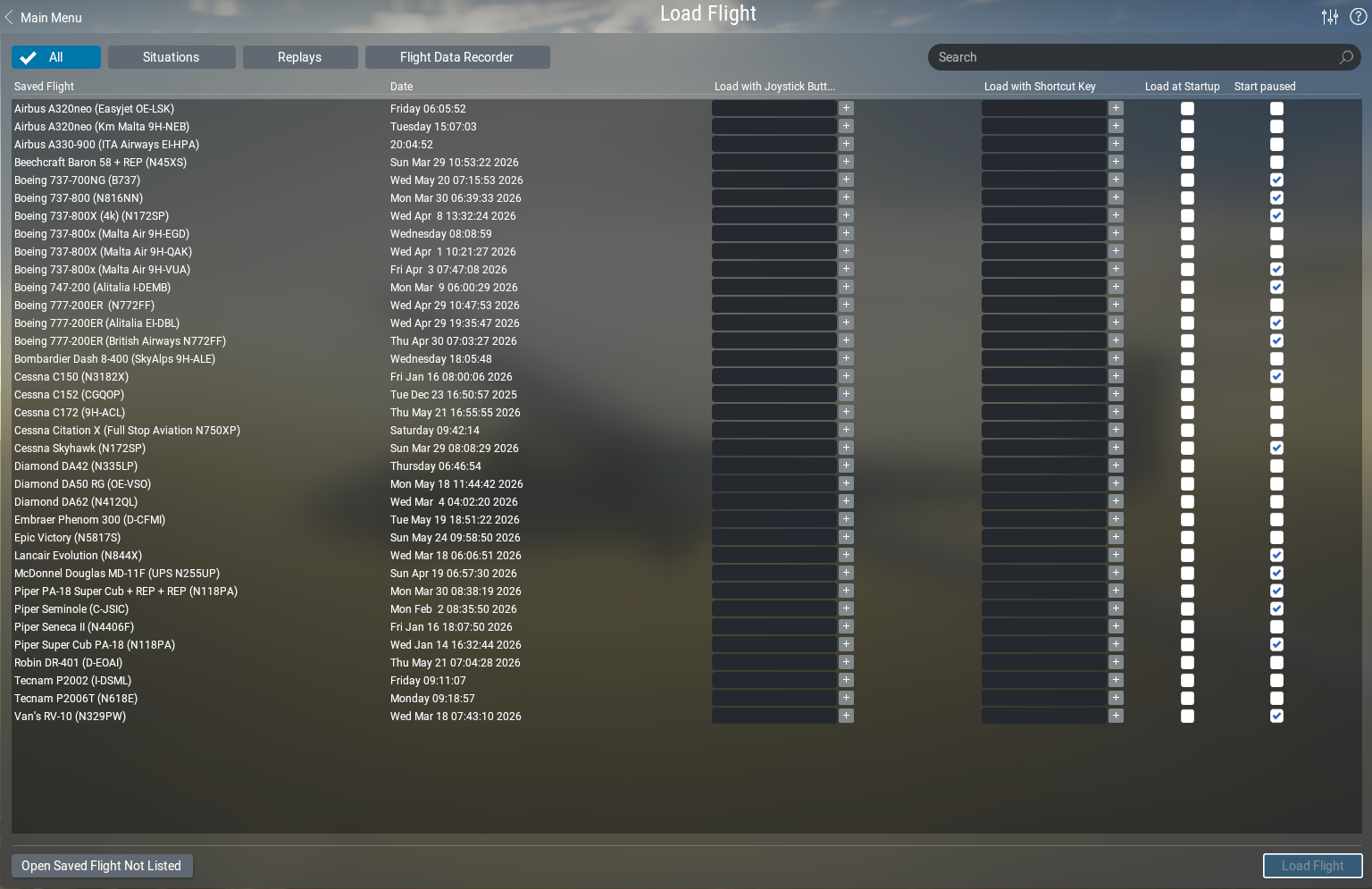
Learn how Flight Deck ONE automatically manages X-Plane Situations for you — auto-saving your position, loading your last session in one tap, and recovering from crashes even with complex third-party aircraft.
-
Everything you need to go from a fresh install to your first live cockpit panel — connecting to X-Plane, opening a deck, and finding your way around the app.
-

Your complete pre-flight briefing and in-flight reference — dispatch with SimBrief, check weather and fuel, pull up approach charts — all without leaving the app.