
Tag: Premium
-
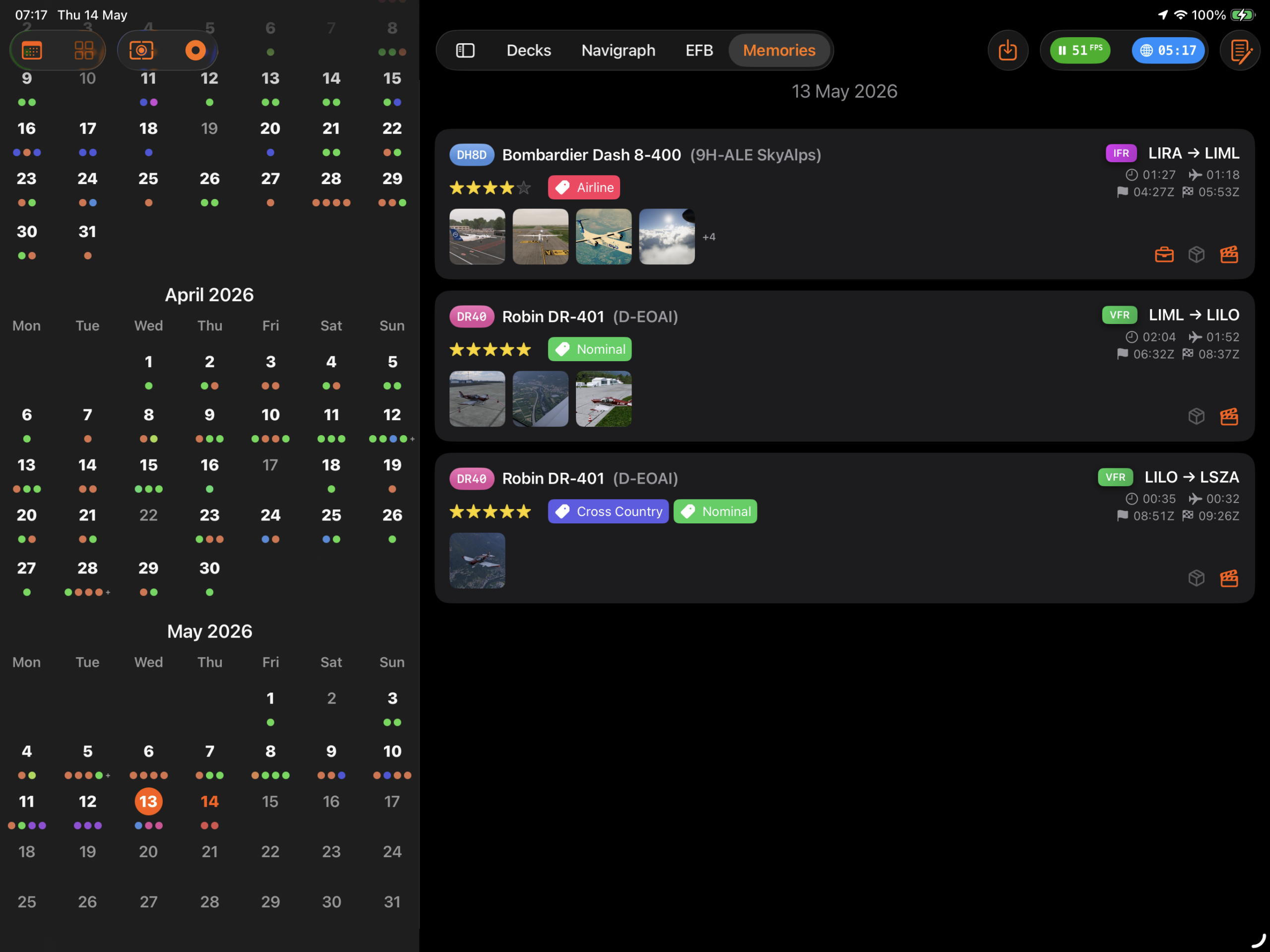
How to configure Sources in Flight Deck ONE so that screenshots, videos, and flight plans flow automatically into Memories when each flight ends.
-
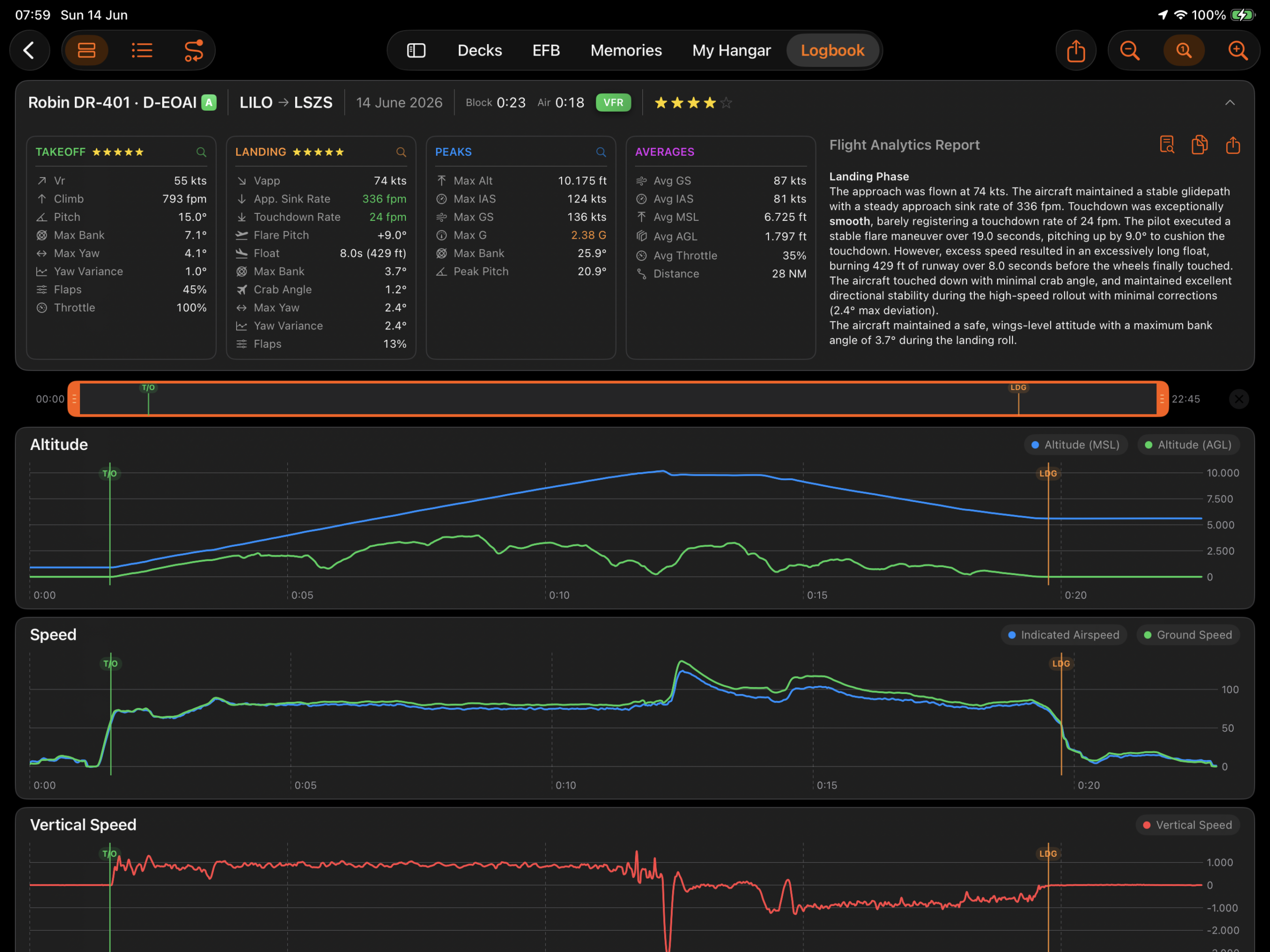
The Black Box records your flight telemetry: altitude, airspeed, vertical rate, attitude, control input, and G-force, captured automatically from the moment a flight begins to the moment it ends, with nothing to configure and nothing to start. That telemetry stays stored with each flight for as long as it is in your Logbook.
-
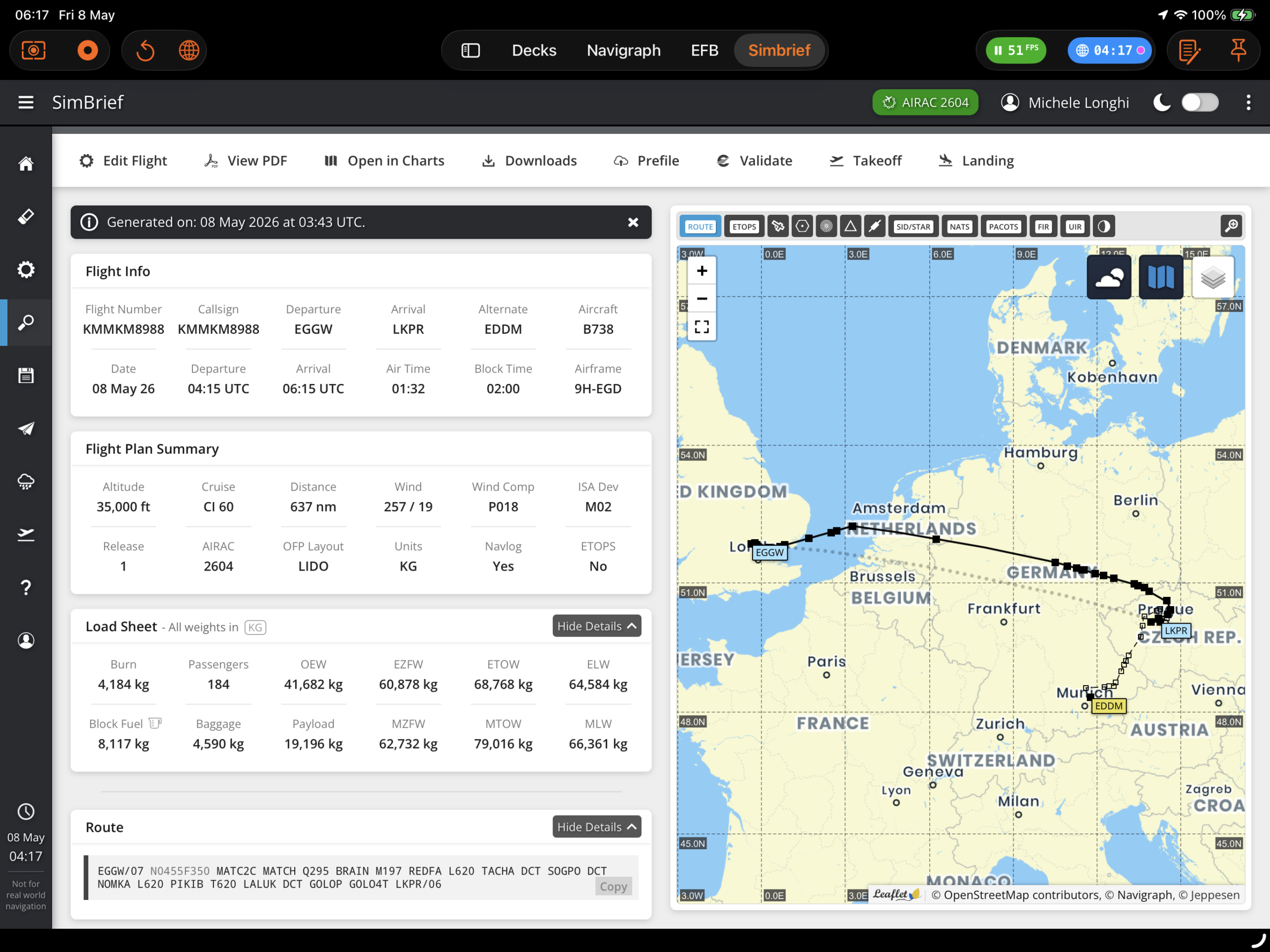
Overview SimBrief integration is a Premium feature that allows pilots to fetch their Operational Flight Plan (OFP) directly inside Flight Deck ONE. Once loaded, the OFP enriches the World Map, Scratchpad, and flight info displays with route, weather, fuel, and timing data. Setup 1. Enter your SimBrief Pilot ID Navigate to Settings > Integrations and…
-
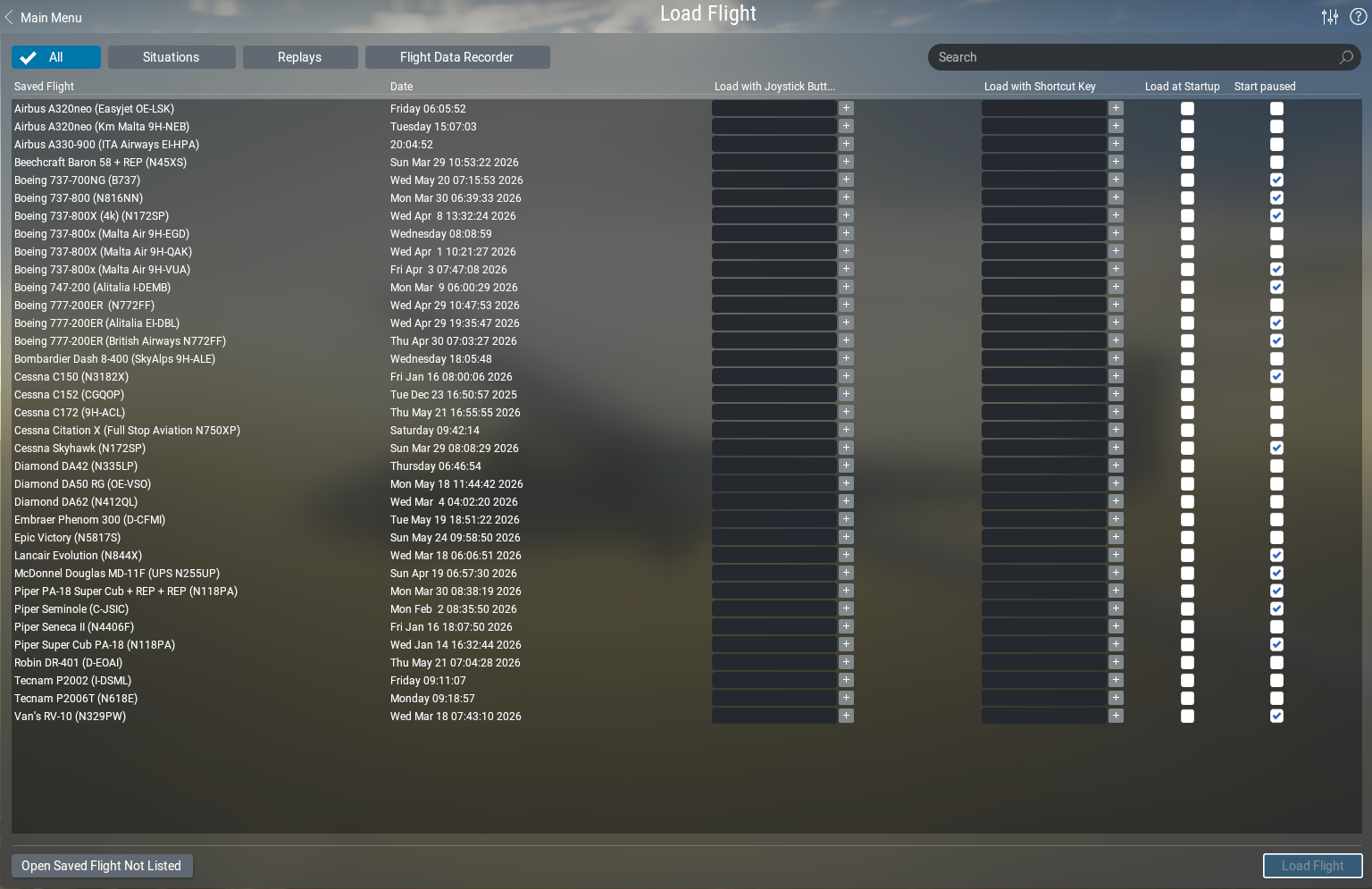
Learn how Flight Deck ONE automatically manages X-Plane Situations for you — auto-saving your position, loading your last session in one tap, and recovering from crashes even with complex third-party aircraft.
-

Your complete pre-flight briefing and in-flight reference — dispatch with SimBrief, check weather and fuel, pull up approach charts — all without leaving the app.
-
A complete walkthrough of every Premium settings section in Flight Deck ONE: master device, Logbook and flight detection, Situations, Memories sources, Black Box, World Map, EFB charts and integrations, Voice, and Controller.
-
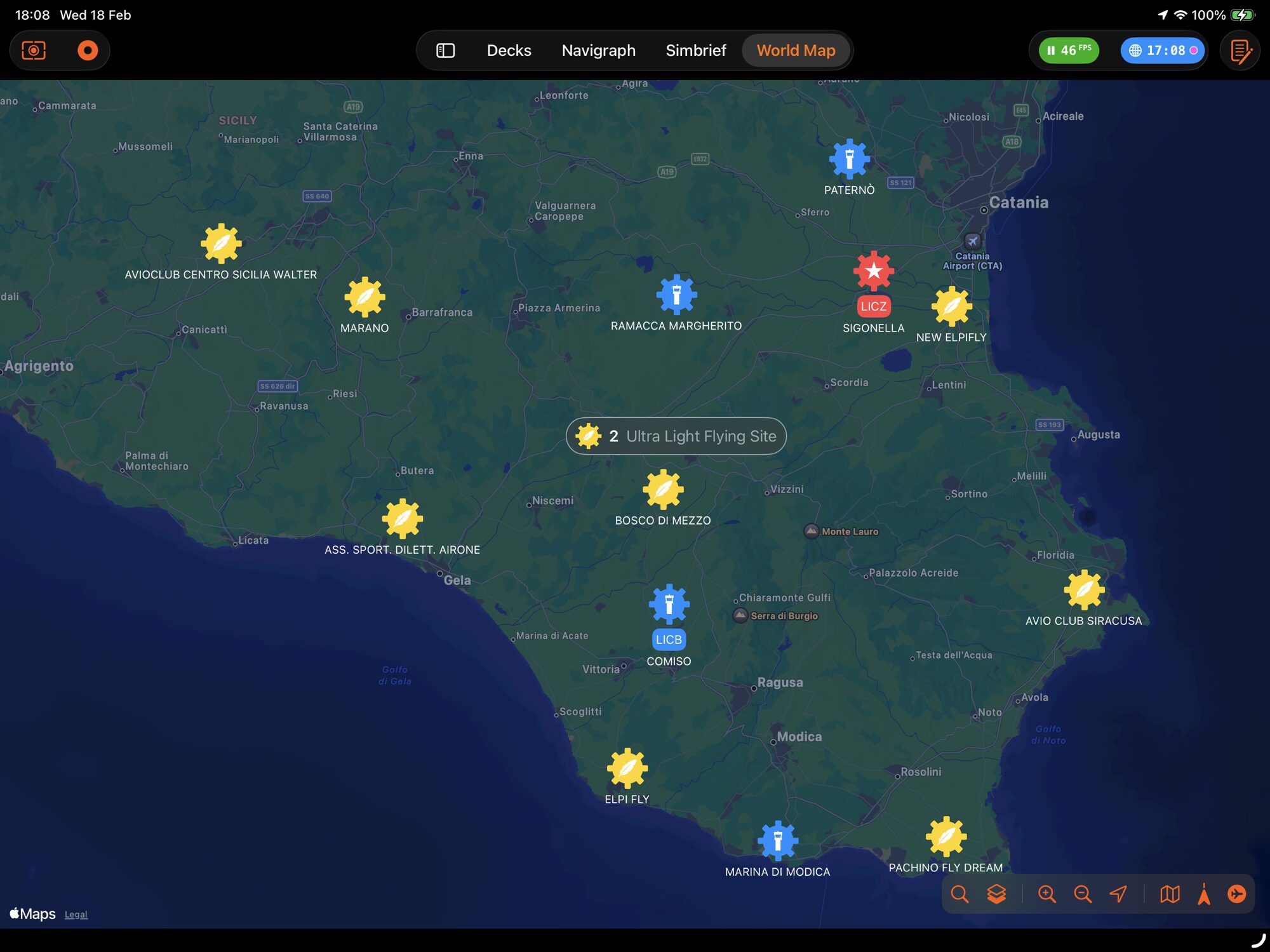
Overview OpenAIP is a free, community-driven aeronautical database providing airport and navaid data. Flight Deck ONE uses it as the backend for the World Map, automatic airport detection during flight logging, and OFP origin validation. It is a premium feature and requires a free API key from OpenAIP. Setup 1. Create an OpenAIP account and…
-
Flight Deck ONE can track your flights automatically — no need to press anything. The feature is at the core of the Logbook, learn more here. Turning it on If not already active, to enable it, go to Settings → Premium → Automatic Flight Tracking and turn it on. When it’s off, you need to…
-
World Map is Flight Deck ONE’s global situational-awareness view. It plots your fleet, nearby airports, navaids, and live weather on an interactive map — and lets you teleport your simulator aircraft to any runway in the world with a single tap. Contents 1. Map Overview Open World Map from the sidebar. The view fills the…